A fuel buyer can set two terms that every charge is checked against: how much free time it expects before paying, and the most it pays per hour. A charge outside them is flagged, not blocked.
Fuel buyers: set your terms
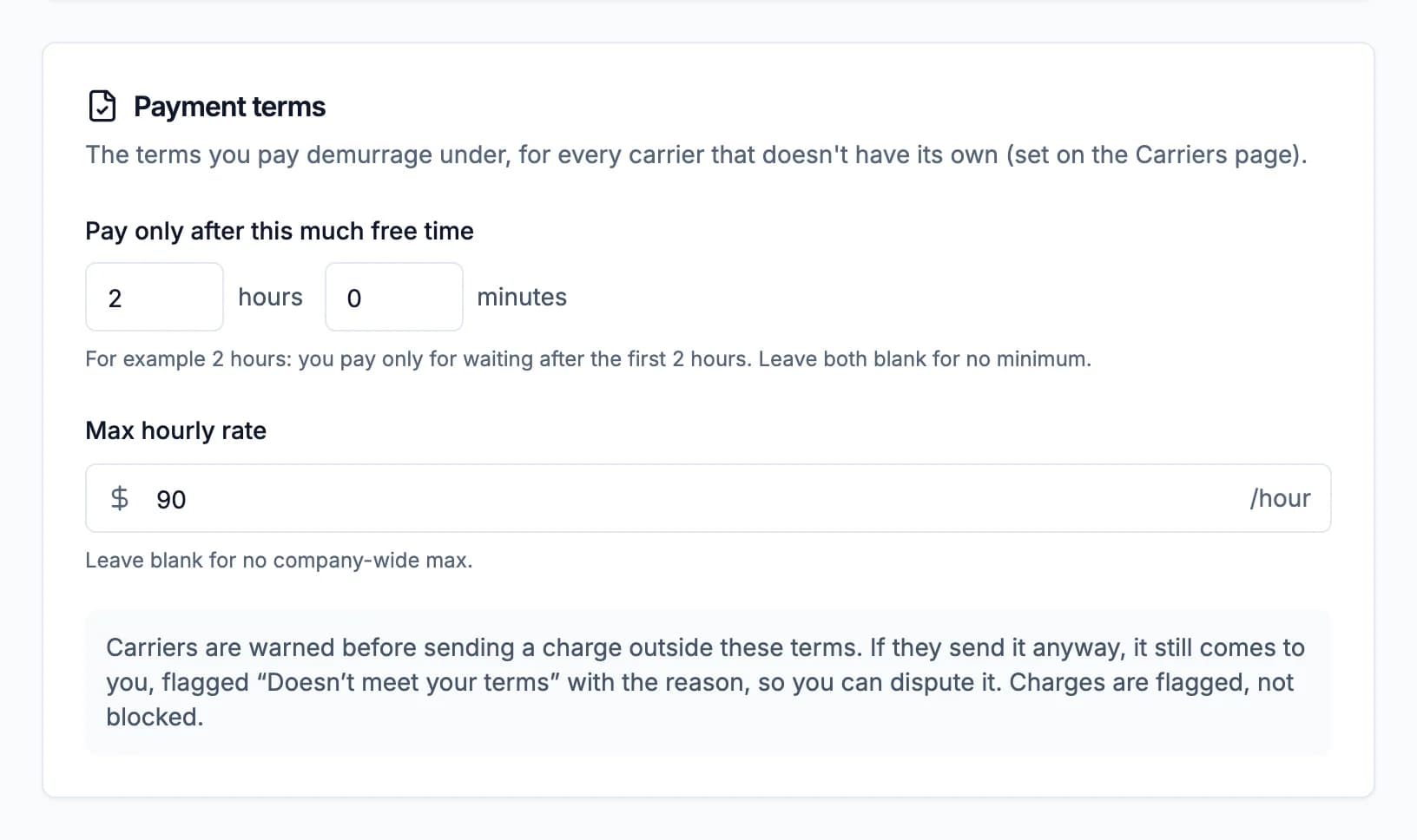
For every carrier: go to Settings > Company and fill in the Payment terms card, then click Save changes.
- Pay only after this much free time: hours and minutes (for example 2 hours: you pay only for waiting after the first 2 hours). Leave both blank for no minimum.
- Max hourly rate: leave blank for no maximum.
For one carrier: on Carriers, click Payment terms on the carrier's card, fill in either field and click Save terms. A blank field uses your company-wide term. When you accept a carrier's invite, Demurly offers to set them right away.
Only your company's admins can set terms.
Carriers: before you send
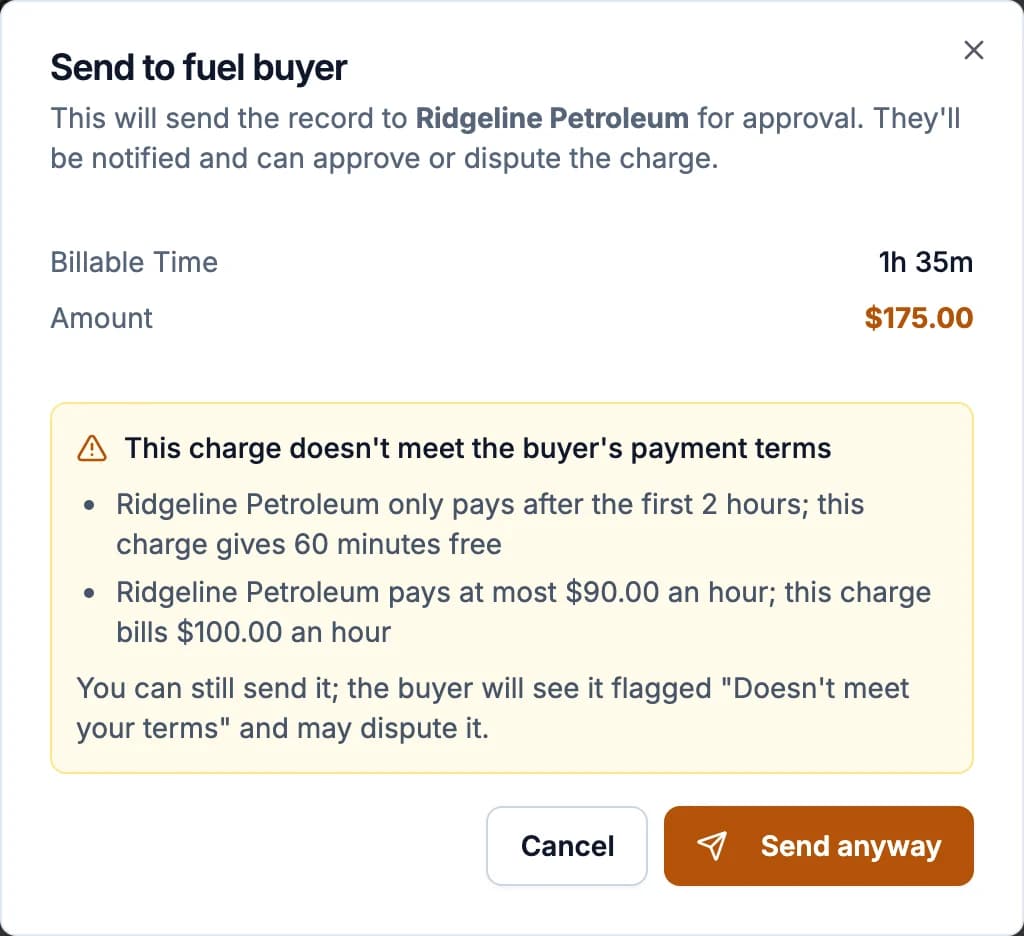
When you send a charge, Demurly checks it against the buyer's terms. If it doesn't meet them, the Send to fuel buyer dialog says why, for example "Acme Fuels only pays after the first 2 hours; this charge gives 60 minutes free" or "pays at most $90.00 an hour; this charge bills $100.00 an hour". You can Cancel and change the charge (its free time and rate come from Set terms on Customers), or Send anyway. Sending several at once works the same way.
Fuel buyers: a flagged charge
A charge sent anyway shows Doesn't meet your terms in your Records, and on the charge itself the reason and what's happened since. You can still approve it, or dispute it. A rate above your maximum also shows a rate alert while you decide.

If the carrier fixes the charge and sends it again within your terms, the flag goes away.