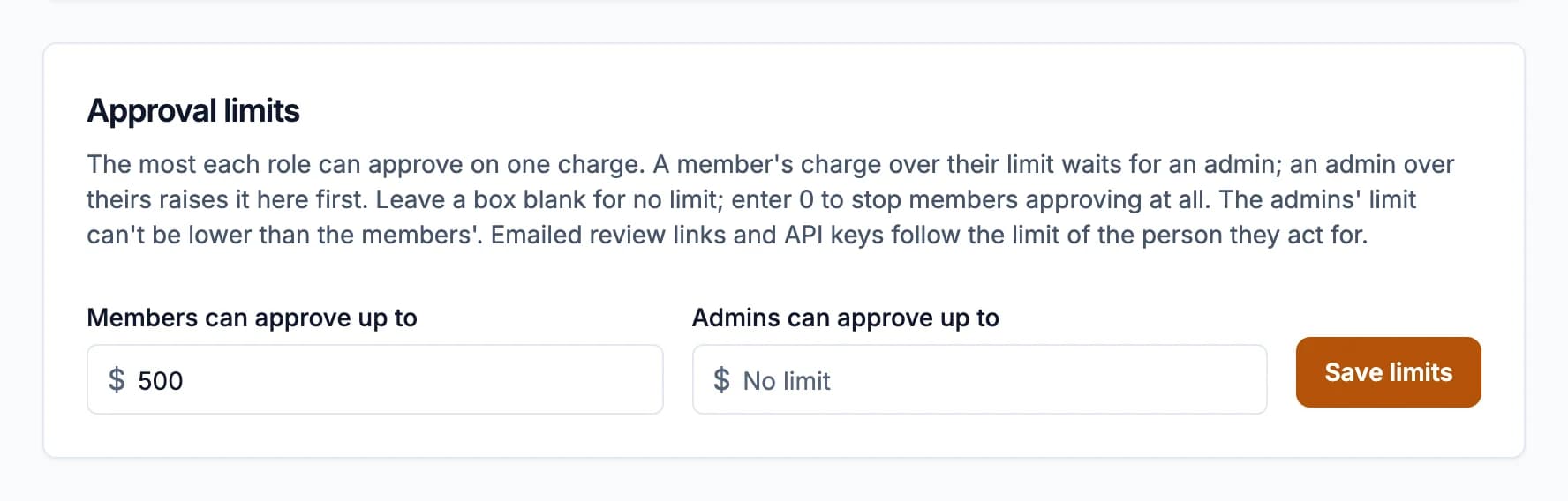
Approval limits set the most each role can approve on a single charge. A member's charge over their limit waits for an admin.
Set them
- Go to Settings > Members & roles. The Approval limits card is at the bottom.
- Enter Members can approve up to and Admins can approve up to. Leave a box blank for no limit; enter 0 to stop members approving at all.
- Click Save limits.
The admins' limit can't be lower than the members'. With nothing set, there's no limit.
What people see
On a charge over their limit, Approve is turned off with the reason:
- Members: "This charge is over your $X approval limit. Ask an admin to approve it."
- Admins: told to raise the admin limit in Settings > Members & roles first.
Dispute still works. When approving several charges at once, the ones over your limit are skipped and the confirmation says how many.
Emailed links and the API
Charges reviewed from an emailed link follow the limit of the person the email went to (no limit if they don't have a login yet). An API key acts as the admin who created it, so the admins' limit applies.
Changes to the limits are recorded in the audit log.