A carrier can bill a fuel buyer that doesn't use Demurly yet. Each charge goes to the buyer by email, with a link to review it and approve or dispute it. No account needed.
Carriers: set it up
- On Customers, click Invite customer.
- Enter the company name and an email address at their company (not Gmail, Yahoo or similar: approvals come from the company).
- Leave Let them approve by email, no account needed ticked and click Connect customer.
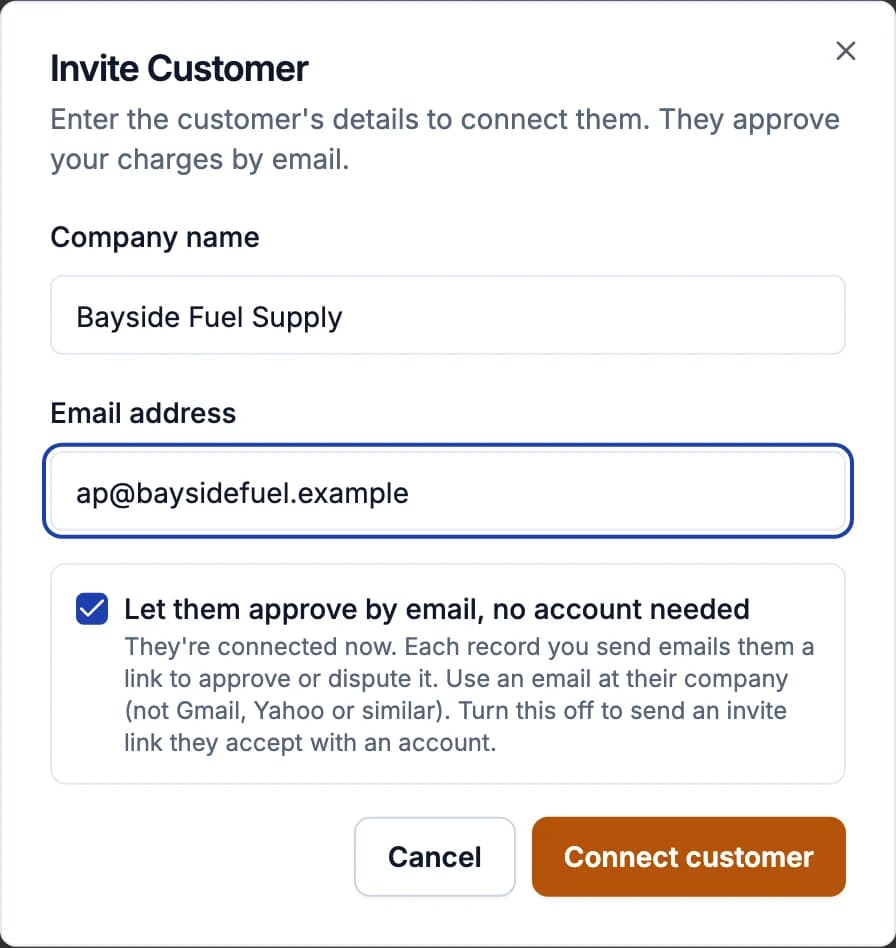
They're connected at once and get an email saying charges will come this way. Their row on Customers says Approves by email. Inviting needs two-step sign-in on your account.
When you send them a charge, they're emailed. On the charge's page you see until when their link works; if it expired or was used, click Email a new review link (older links stop working).
Fuel buyers: review a charge
The email ("Carrier sent you a demurrage charge: $X") has a Review the charge button. The page shows the record details, how the amount was worked out, the GPS evidence and the photos. Under Your Decision:
- Approve Record, or
- Dispute: say what's wrong, why, and if you like what you'd pay instead.
Each review link works for 14 days and only once: approving or disputing uses it up (just opening it doesn't). Don't forward the email: anyone with the link can act on the charge. If the link has expired or been used, ask the carrier for a new one.
To pay by card, or to see all your charges in one place, create your free account: every email has a link for it, and the charges you were sent are already there. Once someone at your company joins, charges come to your Demurly inbox instead of by email.