A dispute starts when a fuel buyer clicks Dispute on a charge waiting for them. The charge becomes Disputed and goes back to the carrier. Nothing resolves on its own: each step waits for one side to act.
The buyer disputes
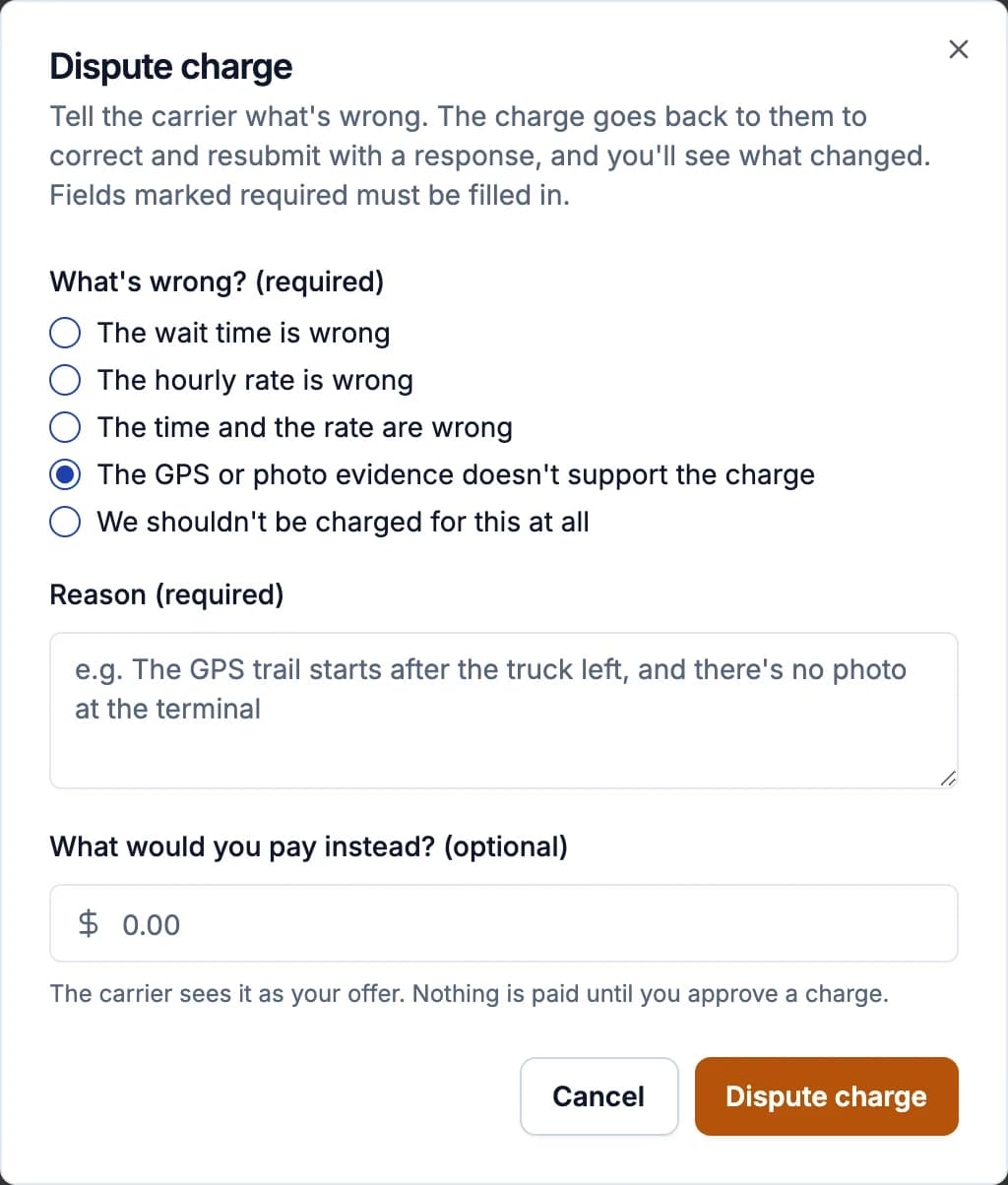
In the Dispute charge form, choose what's wrong:
- The wait time is wrong: enter the minutes that shouldn't be billed.
- The hourly rate is wrong: enter the rate you think is right.
- The time and the rate are wrong: both.
- The GPS or photo evidence doesn't support the charge: say what's wrong in the trail or photos.
- We shouldn't be charged for this at all: the whole charge.
Write a reason (required): say which minutes or what rate is wrong; "we disagree" is hard to act on. For time or rate changes Demurly shows the new amount next to the original. You can also say what you'd pay instead: the carrier sees it as your offer. Then click Dispute charge.
The carrier answers
The carrier sees the buyer's reason at the top of the record and can:
- Resubmit to fuel buyer: fix a detail (fuel buyer, terminal, load or BOL number), click Save changes, then resubmit with a response. The buyer sees what changed.
- Adjust times: bill different times with a reason. The recorded GPS times stay on the record and the buyer sees both.
- Accept $X: accept the buyer's offer. The charge goes back to the buyer at that amount, for a one-click approval.
- Escalate dispute: stand by the charge, with a response and a reason. It becomes Escalated.
- Drop charge (admins): don't bill it. The record closes unpaid. This can't be undone. Also on an escalated charge the buyer never decides on.
Neither carriers nor drivers can edit the recorded times or GPS points.
The buyer decides an escalation
On an escalated charge the buyer reads the carrier's response and chooses Accept and approve (it becomes Approved and opens payment) or Keep dispute (it's Closed and not collected). This is final, so carriers: put your full explanation in the response.
How a dispute can end
- Approved after the carrier resubmits or adjusts times
- Approved at the buyer's offer
- Accepted and paid after an escalation
- Closed: the buyer kept the dispute after an escalation
- Dropped by the carrier
A resubmitted charge can be disputed again. Every round stays in the record's dispute history.
Avoiding disputes
- Carriers: make sure drivers take a clear arrival photo, pick the right terminal and keep the record screen open; agree rates with each customer and set them with Set terms on Customers.
- Fuel buyers: set your payment terms (free time and maximum rate) under Settings > Company, so carriers are warned before sending a charge outside them.