Settings > Plan & billing is where a carrier's admins see their plan, the platform fees they owe and their invoices, and change plans. Fuel buyers use Demurly free and don't have this page. Every plan has unlimited drivers at no cost.
The plans
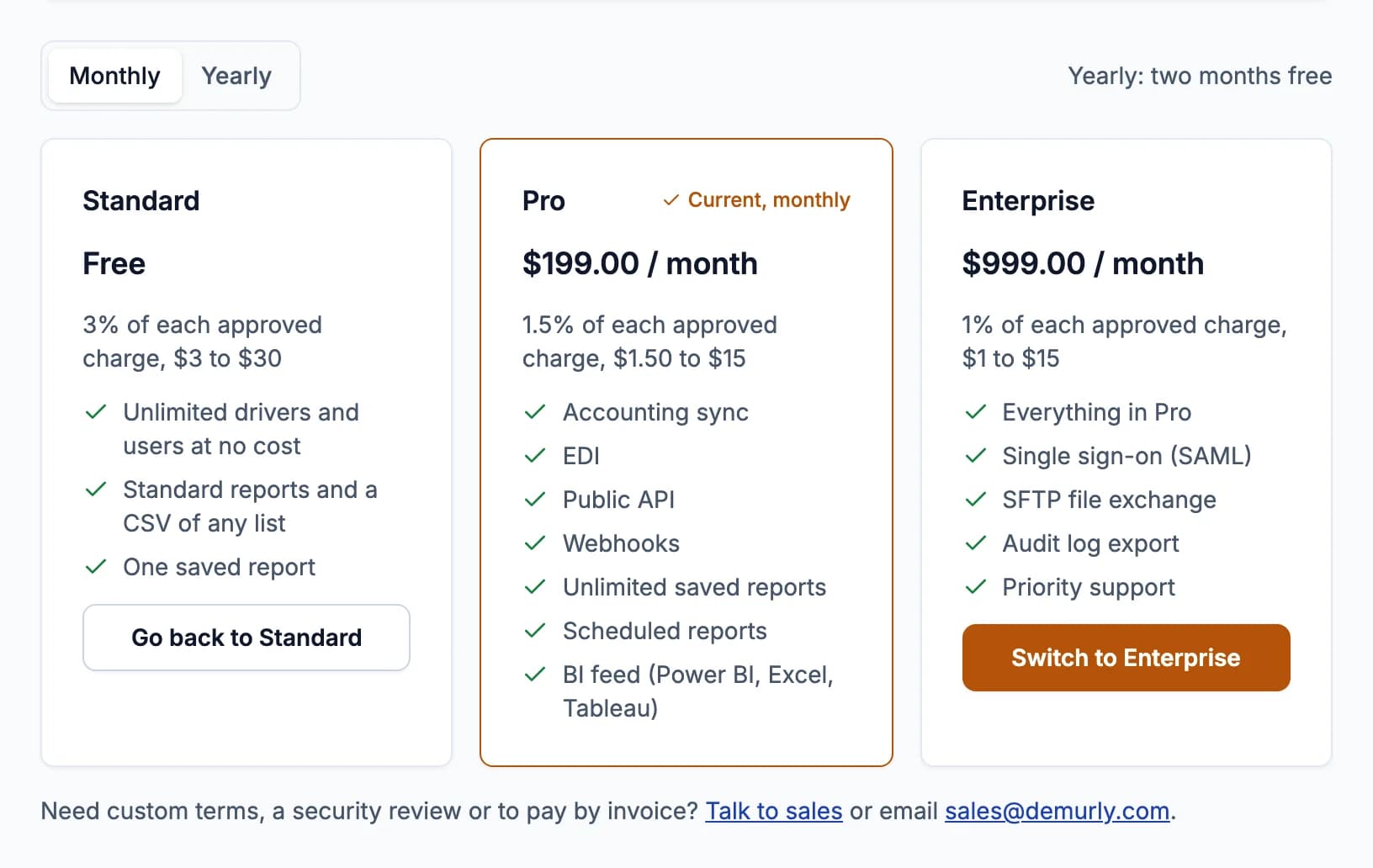
- Standard: free. Platform fee 3% of each approved charge, at least $3 and at most $30. One saved report.
- Pro: $199 a month or $1,990 a year. Fee 1.5% of each approved charge, at least $1.50 and at most $15. Adds accounting sync, EDI, the public API, webhooks, unlimited saved and scheduled reports and the BI feed.
- Enterprise: $999 a month or $9,990 a year. Fee 1% of each approved charge, at least $1 and at most $15. Everything in Pro, plus single sign-on (SAML), SFTP file exchange, audit log export and priority support.
Yearly billing is two months free: pick Monthly or Yearly above the plans.
Start Pro or Enterprise
- Choose Monthly or Yearly.
- Click Start Pro or Start Enterprise and pay on Stripe's checkout.
- Back on Plan & billing, your plan shows as Current within a minute.
Change your plan
- Moving up (Standard to Pro is a start; Pro to Enterprise, or monthly to yearly, is a switch): click Switch to... The dialog shows what you're charged today (the rest of this period, less what's left of your current plan) and then the new price; click Pay $X and switch. It starts at once. If the payment fails, nothing changes.
- Moving down (Enterprise to Pro, or yearly to monthly): click Switch to..., then Confirm the change. Nothing is charged; you keep your current plan until the end of the period you paid for, and a banner shows the date. Changed your mind? Click Keep my current plan in that banner.
- Back to Standard: click Go back to Standard on the Standard card and confirm. You keep your plan until the period ends; then paid features stop.
When paid features stop, nothing is deleted: accounting sync, webhooks, scheduled reports and EDI pause, the live API is refused, and only one saved report can be kept. Moving up again turns them back on.
Platform fees and invoices
The fee is due when the buyer approves the charge, not when it's paid: it comes out of your payout if the buyer pays in Demurly first, otherwise it's on your monthly bill. The Platform fees card shows what's owed and not yet billed, what's billed and not yet paid, and what was collected this month. Fees are billed on the 1st (UTC) for the month before: charged to the card or bank account on file, or sent as an invoice due in 30 days. Click Payment method and invoices to add a card or bank account and see or pay invoices (on Stripe).
Your company's first 25 approved charges carry no fee; the card counts down what's left. The free charges come once per company email domain and payout bank account: if another company on Demurly already used yours, the card says so and fees apply from the first charge.
Enterprise contracts
Larger operations can sign an Enterprise contract with their own terms (talk to sales). On a contract, Plan & billing shows your contract's fee instead of the plan choices, and sales changes the contract.
Only admins can open Plan & billing; members are told to ask an admin. Prices are also on the pricing page.