Settings opens from the bottom of the sidebar. Its pages are grouped in a sidebar (a menu at the top on phones). Admins see every page; team members see their own account pages and Members & roles, and land on Your profile. A page your plan doesn't include shows the plan that does (Single sign-on (SAML), for example, is part of Enterprise); fuel buyers get every feature free.
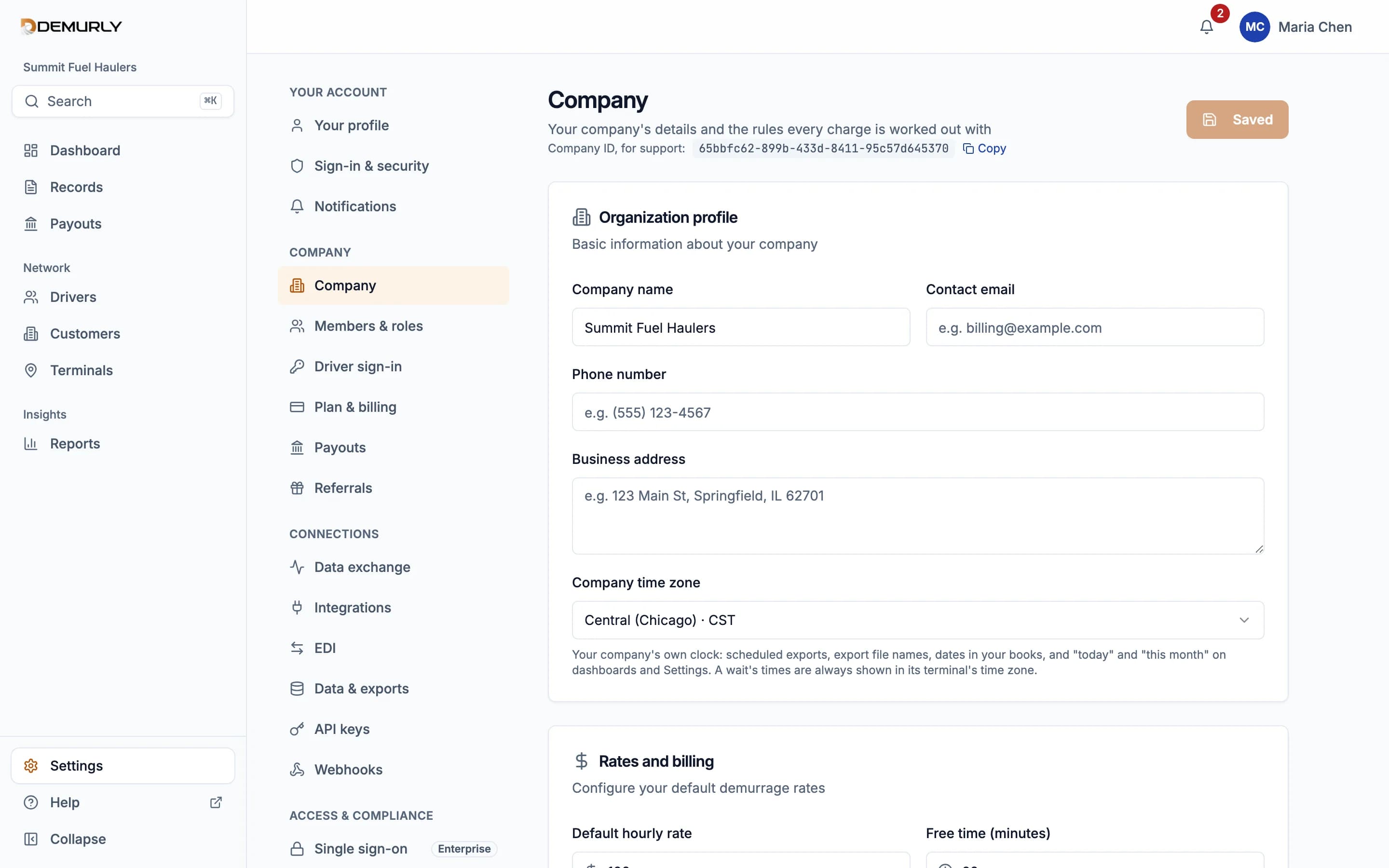
Your account
- Your profile: Your name, email and phone
- Sign-in & security: Two-step sign-in (2FA) and your password
- Notifications: What you're emailed about, and when
Company
- Company: Company details, time zone and charge rules (admins)
- Members & roles: Invite colleagues as admins or members (admins)
- Driver sign-in: Your company code for drivers' sign-in (carriers; admins)
- Plan & billing: Your plan, platform fees and invoices (carriers; admins)
- Payouts: Where buyers' payments are paid out (carriers; admins)
- Referrals: Share Demurly and track your referrals (carriers; admins)
Connections
- Data exchange: Everything sent and received, and whether it worked (admins)
- Integrations: Accounting systems and PDI files (admins; Pro for carriers)
- EDI: 214 status messages in, 210 invoices out (carriers; admins; Pro for carriers)
- Data & exports: Exports, scheduled exports and imports (admins)
- API keys: Keys for the public API (admins; Pro for carriers)
- Webhooks: Send record events to your systems (admins; Pro for carriers)
Access & compliance
- Single sign-on: Sign in with your identity provider (SAML) (admins; Enterprise for carriers)
- Audit log: Who changed what, and when (admins)
- AI assistant: Turn the assistant on or off; this month's use (admins)
Forms save with the Save button at the top of the page; single switches save as soon as you change them.